


Creating a strong random password is like balancing on a tightrope; one misstep can lead to a security breach. You’re likely aware that a weak password can compromise your online safety, yet many still struggle with generating a robust one. So, how do you craft a complex and memorable password?
Consider utilizing a password manager for secure storage, or implement Diceware for memorable passphrases. Combine different character types and avoid using any personal information to enhance security.
Understanding the right techniques can make all the difference, and several strategies are worth exploring. Let’s consider what makes a password truly secure and how you can apply these methods effectively.
Methods to Generate a Strong Random Password
To create a strong random password, you can use several effective methods, such as:
Use a Password Manager
A password manager is an essential tool for anyone looking to generate strong random passwords effortlessly. Many of these applications include a built-in strong random password generator that creates unique passwords using a mix of letters, numbers, and symbols.
This feature is particularly effective because it eliminates the need for you to remember complex passwords. When you use a password manager, you can guarantee that each account has a unique credential, considerably enhancing your security. You won’t risk using the same password across multiple sites, which can expose you to breaches.
To get started, choose a reputable password manager, options like Strong Password Generator, LastPass, Dashlane, or 1Password are great choices. After installation, simply navigate to the password generation feature, select your desired complexity, and let the tool create a strong password for you.
Once generated, the password manager will securely store your passwords, allowing you to access them easily when needed. This guarantees that you maintain strong security practices without the hassle of memorizing every password. Embrace the efficiency and security that password managers offer.
Rely on Diceware for Passphrases
Diceware is a method that uses dice rolls to select random words from a predefined list, resulting in passphrases like apple-horse-cloud-table-cup. Unlike traditional passwords, Diceware passphrases are easier to remember but still incredibly secure due to their randomness and length.
This method is particularly effective because it creates passwords that are highly resistant to brute force attacks, even if attackers have powerful computational tools. For maximum security, aim for a passphrase with at least five or six random words.
By implementing the Diceware method, you can generate strong, random passphrases that combine security and memorability, providing a robust defense for your digital accounts.
Combine Uppercase, Lowercase, Numbers, and Symbols
While Diceware can help you create memorable passphrases, using uppercase and lowercase letters, numbers, and symbols can also generate strong passwords. A strong password should combine these character types, making it complex and hard to crack. For example, a password like A3$g@F8#k demonstrates this combination.
Using a strong and random password generator can simplify the process, ensuring your password is both random and complex. If you prefer to create it manually, avoid predictable patterns, such as Password123!, which are easily guessed by attackers.
Instead, think of a memorable phrase or concept and transform it by substituting letters with similar-looking numbers and special characters. For instance, replace ‘A’ with ‘@’, ‘s’ with ‘5’, or ‘o’ with ‘0’. This method enhances security while still allowing you to remember the password.
Randomize Length and Complexity
To maximize your password’s strength, randomizing its length and complexity is essential. Aim for passwords that are at least 12 to 16 characters long. A longer password, such as Z7$pLq@Xr!9tMd3w, considerably increases security by exponentially extending the time required for a brute-force attack to succeed.
When generating a strong password, leverage dedicated password generators. Many of these tools let you specify both length and complexity, so your password is as secure as possible. Mix uppercase letters, lowercase letters, numbers, and special characters to create a highly unpredictable combination.
Avoid Personal Information
Using personal information in your passwords can greatly weaken their security. Avoid using names, birthdates, or even common phrases. For example, a password like John1990! is far too predictable and can be easily guessed by attackers who may access your details through social media or data breaches.
To create a strong & random password, let randomness guide your character selection. Start by choosing a mix of uppercase and lowercase letters, numbers, and special characters. Aim for a length of at least 12 to 16 characters for peak security.
Implement Two-Step Randomization
Implementing two-step randomization can greatly enhance your password’s strength. Start by using a strong random password generator to create your initial password. Aim for a mix of lowercase letters, uppercase letters, numbers, and special characters. For example, you might generate a password like Fj!8lK4@#9.
Next, tweak this password by adding an extra word or symbol at random positions. This adjustment increases unpredictability and complexity. You could insert the word “cat” into your password, resulting in something like Fj!8cK4@#9lcat. The method maintains a high level of security and creates a unique password.
What is the best length for a strong password?
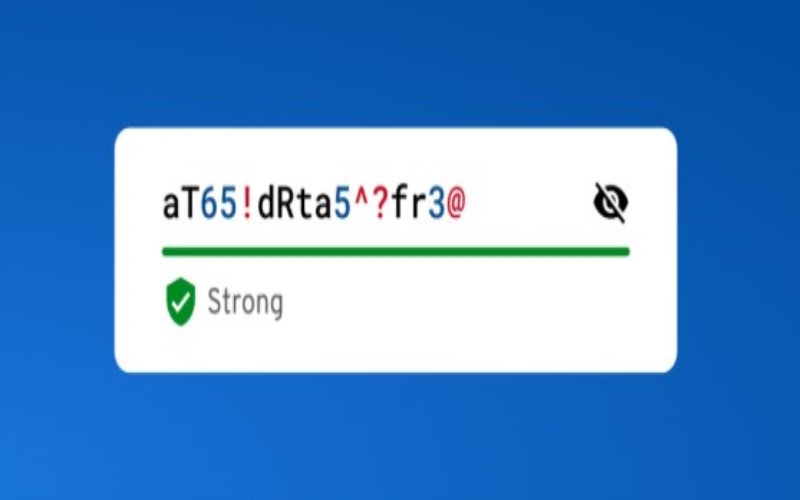
A strong password should ideally be between 12 to 16 characters long to effectively thwart brute-force attacks. The longer your password, the more combinations an attacker must try to crack it, greatly increasing its strength.
When creating a password, avoid common words or predictable patterns. Instead, opt for a mix of special characters. This variety not only enhances security but also prevents attackers from easily guessing your password.
Remember, every additional character exponentially increases the complexity of your password. For instance, a 12-character password is much stronger than an 8-character one, even if both use a mix of characters.
Are password generators safe to use?
Security is paramount when it comes to generating passwords, and many people wonder if password generators are safe to use. The answer is yes, but it hinges on your choice of tools. Using reputable, offline, or well-reviewed password managers can greatly mitigate security risks.
When you opt for a password generator, verify that it’s from a trusted source. Online generators can expose you to vulnerabilities, including data breaches and unauthorized access. Offline tools, on the other hand, keep your data local and reduce the risk of exposure.
How often should I change my passwords?
To maintain robust security, you should change your passwords immediately after any potential breach and periodically every 6 to 12 months as a precaution. Regular updates help minimize the risk of unauthorized access to your accounts. If you suspect that your password has been compromised, don’t delay in creating a new one.
When deciding how often to change your passwords, consider the sensitivity of the information protected by each account. For critical accounts, like banking or email, aim for more frequent updates, while less sensitive accounts can adhere to the 6 to 12-month timeframe.
Can I reuse strong passwords for different accounts?
Reusing passwords across different accounts is a risky practice, even if the passwords are strong. When you use the same password for multiple accounts, you create a vulnerability. If one account gets breached, hackers can easily access your other accounts as well, leading to a domino effect of compromised information.
Instead of reusing passwords, you should create unique passwords for each account. This way, if one password is exposed, the others remain secure. Strong passwords should be complex, incorporating a mix of characters.
Password Managers: Your Key to Unique Combinations
Generating a strong random password is essential for your online security. Did you know that 81% of data breaches are due to weak or stolen passwords? To protect yourself, use a password manager for unique combinations, aim for 12 to 16 characters, and avoid reusing passwords across accounts.
Regularly update your passwords and consider using techniques like Diceware for memorable passphrases. Stay vigilant and secure your digital life by implementing these best practices today.